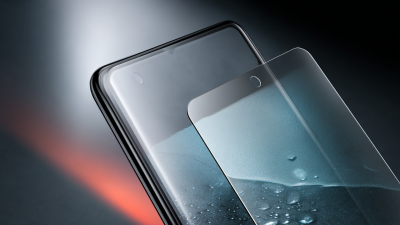
How to Choose the Best Anti-Fingerprint Glass for Your Device?
Choosing the best Anti-Fingerprint Glass for your device can be challenging. With so many options available, it’s easy to feel overwhelmed. Industry expert Dr. Emily Torres, a leading researcher in screen protection technologies, states, “The right Anti-Fingerprint Glass can enhance your device's usability while providing durability.”
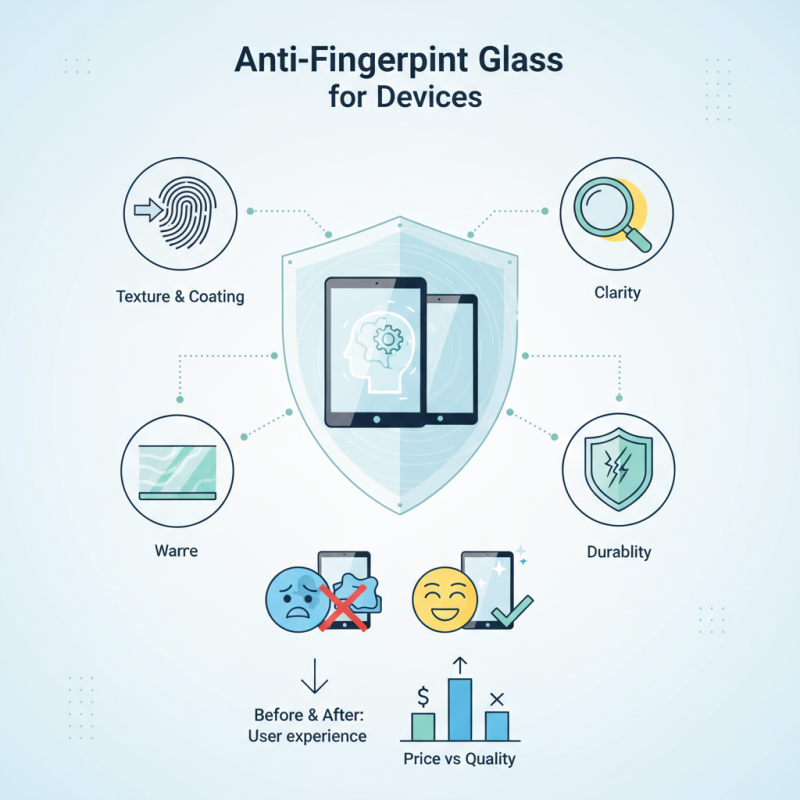
The texture, coating, and clarity of Anti-Fingerprint Glass are critical factors to consider. A high-quality glass should not only resist smudges but also maintain visual clarity. If the glass is prone to scratches or doesn’t fit well, it may prevent users from fully enjoying their devices. Many people overlook these details, focusing instead on price alone.
Real-world experiences often highlight the shortcomings of cheaper alternatives. Users may find themselves cleaning their screens more often. Inconsistent performance can lead to frustration. Evaluating reviews and seeking trusted recommendations can help make a more informed choice. Remember, investing in quality Anti-Fingerprint Glass can save time and enhance user satisfaction.
Understanding Anti-Fingerprint Glass: Features and Benefits
Anti-fingerprint glass has become a popular choice for device protection. It offers several features and benefits. This type of glass is specially designed to repel fingerprints and smudges. This keeps your screen looking clean and clear. Users appreciate the smoother touch, too. Applications of this glass range from smartphones to tablets and laptops.
When choosing anti-fingerprint glass, consider the material quality. High-quality glass is more durable. It withstands scratches and impacts better than lower-grade options. Additionally, look for a coating that is easy to clean. Smudges and oils should wipe off effortlessly.
Tip: Before purchasing, read reviews from other users. Their experiences can show real life benefits.
Another point to remember is the installation process. Some glasses are easier to apply. Others may leave bubbles if not done correctly. This could undermine the overall appearance.
Tip: Take your time during installation. Follow the directions carefully for the best result. A well-installed glass is crucial for effective protection.
Types of Anti-Fingerprint Glass and Their Applications
When selecting anti-fingerprint glass, it's essential to consider the types available. Each type serves different purposes and offers various benefits.
Tempered glass is sturdy and resists scratches well. This type often provides robust protection. However, it can be heavier than other options.
Another option is oleophobic glass. It repels oils and minimizes smudges. This type is great for devices that are frequently touched. Yet, it may not be as durable as tempered glass.
It's essential to weigh these factors when making a choice.
Keep in mind the applications of these glasses. For phones, a thinner, lighter option might be preferable. In contrast, tablets may benefit from thicker protection.
Your device's use case will heavily influence your decision. Don't rush into a choice; take the time to find the best fit.
Factors to Consider When Choosing Anti-Fingerprint Glass
When choosing anti-fingerprint glass for your device, one important factor is durability. Look for materials that can resist scratches. A strong glass will ensure longevity and protect your screen. Some glass types may seem tough but can shatter easily upon impact. Check user reviews to understand their experience with durability.
Another consideration is clarity. Anti-fingerprint coatings can affect how clearly you see the screen. Some glasses might cause a slight distortion or haze. You want a glass that offers optimal visibility. Test different options to find out which one meets your needs.
Finally, ease of installation matters. Some anti-fingerprint glass can be a challenge to apply. Bubbles or misalignment can ruin the experience. Look for products with easy alignment features. Even slight imperfections in installation can lead to frustration over time. This choice should enhance your device, not hinder it.
Installation Tips for Anti-Fingerprint Glass on Your Device
Installing anti-fingerprint glass is crucial for maintaining your device's appearance. It's not just about protection; it also ensures a clearer screen. Start by cleaning the device screen thoroughly. Use a microfiber cloth to avoid scratches. Dust and fingerprints can ruin the installation process.
When positioning the glass, take your time. Align it carefully with the edges of the screen. Even a slight misalignment can lead to air bubbles. If you notice any, gently lift the glass and reposition it. This might feel frustrating, but it's essential for a perfect fit.
Apply pressure evenly after aligning to ensure a secure bond. A common mistake is pressing too hard in one spot. This can create more bubbles or even damage the glass. Patience is key. If you find yourself overwhelmed, take a break. Refocusing can help you achieve a better result. Remember, the perfect installation enhances the functionality of your device, so it's worth getting it right.
Anti-Fingerprint Glass Durability Comparison
Maintaining and Caring for Anti-Fingerprint Glass Surfaces
Maintaining anti-fingerprint glass surfaces is crucial for their longevity and effectiveness. Regular cleaning can significantly enhance their performance. Use a soft microfiber cloth dampened with water. Avoid harsh chemicals, as they can damage the coating. Wipe gently, focusing on areas that tend to collect smudges or fingerprints. This routine may feel tedious but is essential for preserving clarity.
Sometimes, even the best preparation can lead to unexpected results. You might notice small scratches or smudges that just won't come off. This can be frustrating, but it's a reminder to reassess your cleaning methods. Check if you’re using the right tools. A gentle touch is vital; pressing too hard might worsen the situation. Accidents happen, and it’s part of the process.
Store your device wisely to prevent unnecessary wear. Avoid placing it face-down on rough surfaces. This might seem minor, yet it plays a big role in maintaining that pristine look. Remembering to be mindful about how you handle your devices can go a long way. A little care can lead to big differences.
How to Choose the Best Anti-Fingerprint Glass for Your Device? - Maintaining and Caring for Anti-Fingerprint Glass Surfaces
| Feature |
Description |
Maintenance Tips |
| Material Quality |
Look for high-quality glass that offers durability and scratch resistance. |
Use microfiber cloths for cleaning to avoid scratches. |
| Anti-Fingerprint Coating |
A coating that repels fingerprints and smudges. |
Regularly clean with a gentle solution to maintain the coating. |
| Fit and Compatibility |
Ensure it is designed for your specific device model. |
Check for proper alignment during installation to avoid bubbles. |
| Transparency and Clarity |
Maintain high transparency to avoid color distortion. |
Wipe regularly to keep the surface clear of grime. |
| Installation Process |
Easy application process without air bubbles. |
Follow instructions carefully, and use a dust remover before application. |


 Phone
Phone Send Email
 whatsapp
 Facebook